
■ indicates standard specification (※ can be omitted)
Ordering Examples:| ① | Type (refer to drawings below) | |
|
Front USB | |
|
Rear USB / Front panel waterproof gasket included | |
|
With Display / DIN rail mount kit * | |
|
No Display / DIN rail mount kit * | |
| *Without mounting hooks | ||
| ② | Number of Channels (CH) | |
|
1CH | |
| ③ | Analog Output 1 [Option 1] | |
|
None | |
|
0-10V | |
|
0-5V | |
|
±10V | |
|
±5V | |
|
4-20mA | |
|
Alarm 2 points | |
|
No output options for both ③ & ④ | |
| ④ | Analog Output 2 [Option 2] | |
|
None | |
|
0-10V | |
|
0-5V | |
|
±10V | |
|
±5V | |
|
4-20mA | |
|
Alarm 2 points | |
| If both Option 1 and Option 2 are Analog Outputs, list them in alphabetical order. Example: ◯ E1I1 (E comes before I) / ⨯ I1E1 |
||
| ⑤ | Display Color | |
|
Red | |
|
Green | |
| ⑥ | Terminal Block Type | |
|
Horizontal Spring Lock 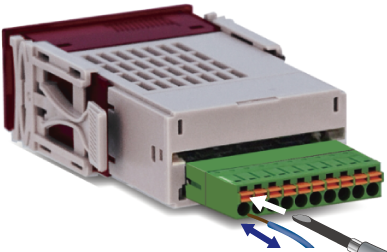 |
|
|
M2 Screw Plug Connector 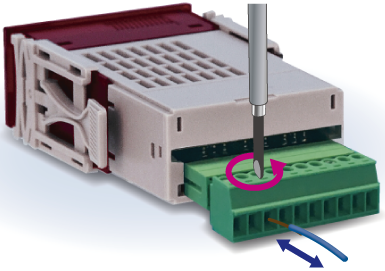 |
|
| [0] Type 2401 |
| Front USB |
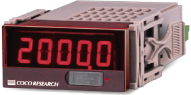 |
| [1] Type 2411 |
Rear USB & front panel waterproof gasket included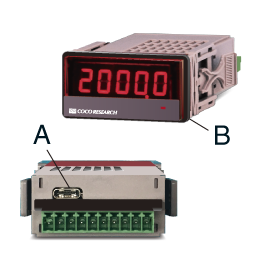 A: Rear USB Type-C Connector A: Rear USB Type-C ConnectorB: Front panel waterproof gasket included |
| [3] Type 2431 |
With Display / DIN Rail Mount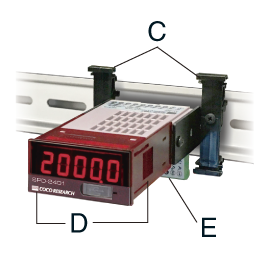 C: DIN Rail Mount Kit C: DIN Rail Mount KitD: No panel mounting hooks E: Connector *DIN Rail is not included |
| [5] Type 2451 |
No Display / DIN Rail Mount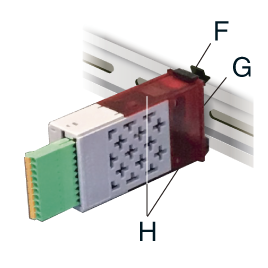 F: DIN Rail Mount Kit F: DIN Rail Mount KitG: No Display H: No panel mounting hooks *DIN Rail is not included |